 CookieRay
You don't want the same banner for every visitor
Geo targeting
Pick the countries where the banner should be hidden. Visitors from every other country — and visitors whose country can't be detected — still see it.
Read the guide →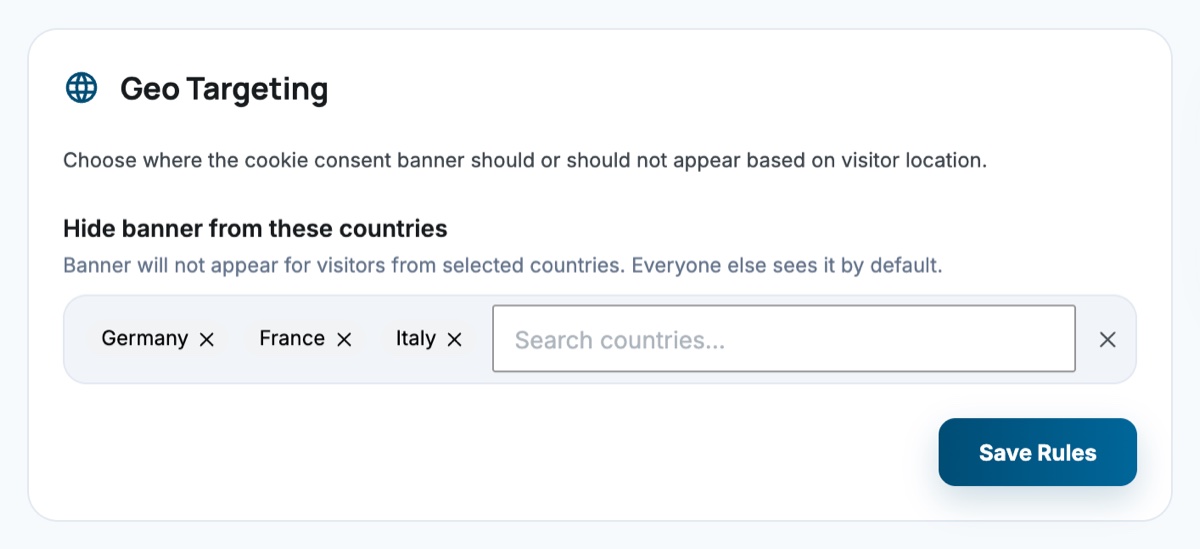
Consent banners for GDPR and CCPA workflows, strict script blocking, Google Consent Mode v2, an on-site cookie scanner, and full consent logs — all running on your server. No external dashboard required.
A complete toolkit — not just a banner. CookieRay gives you the infrastructure to manage cookie consent properly across every layer of your WordPress site.
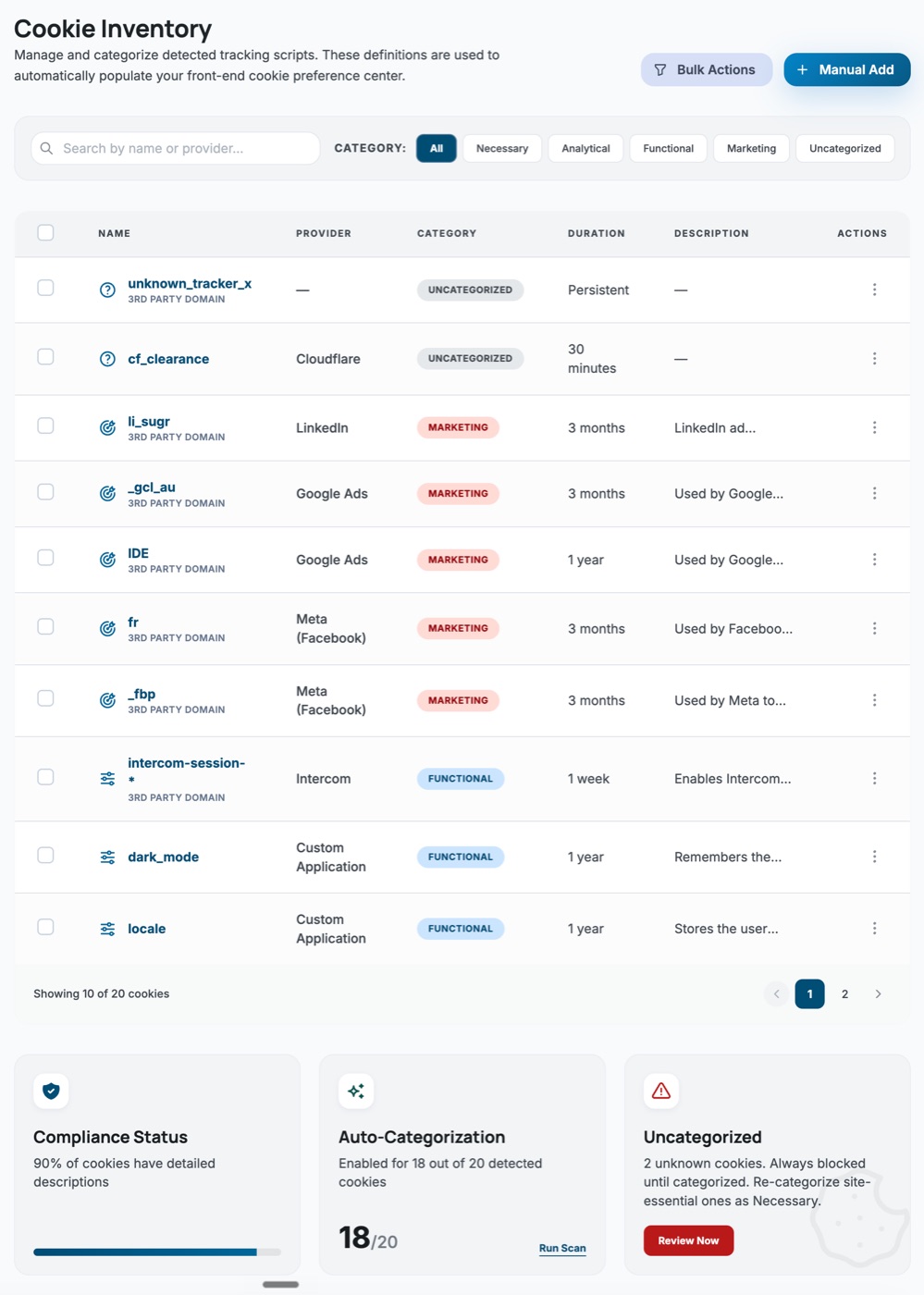
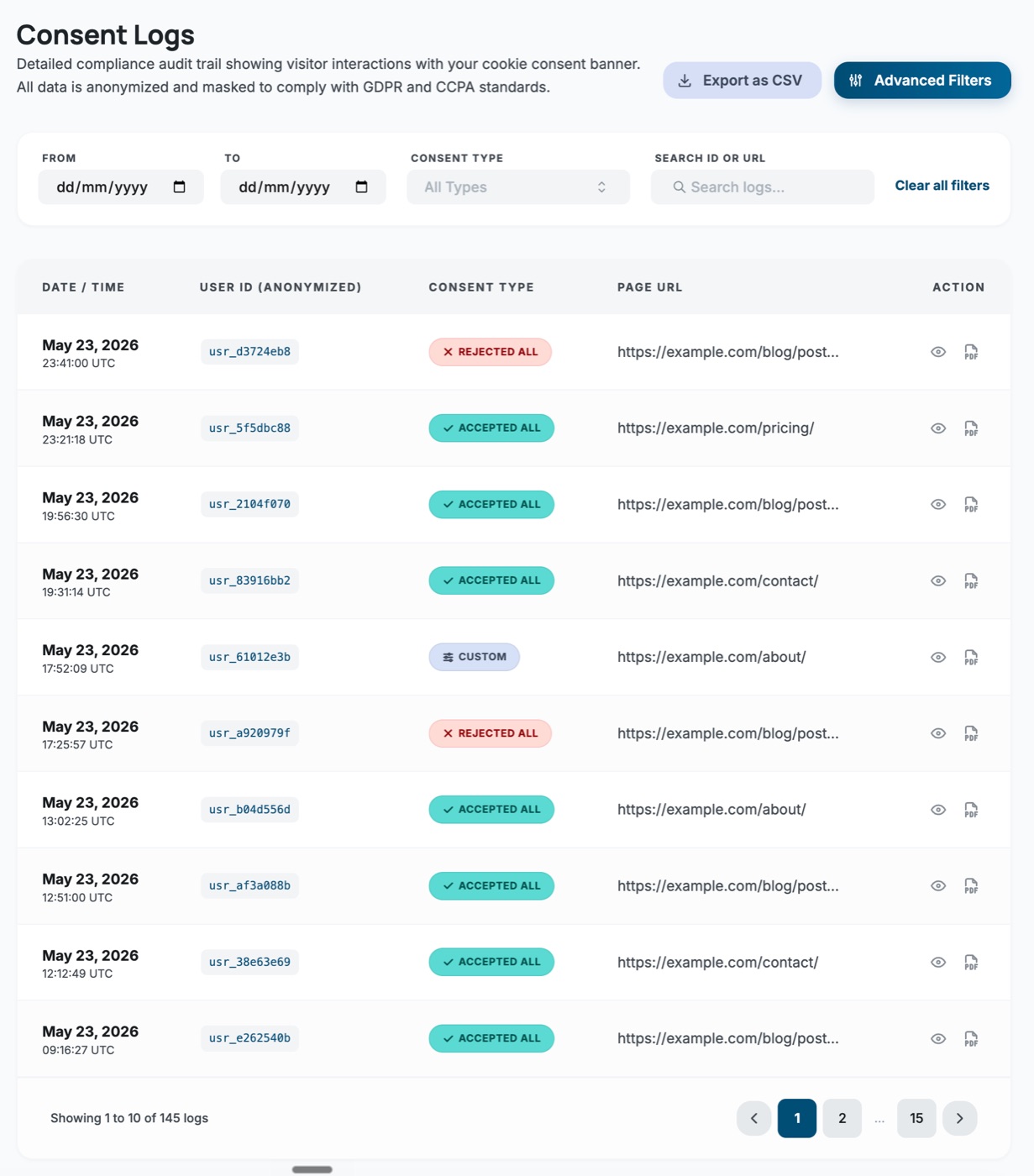
Real screens from the plugin. Everything runs inside your WordPress dashboard — no external account.
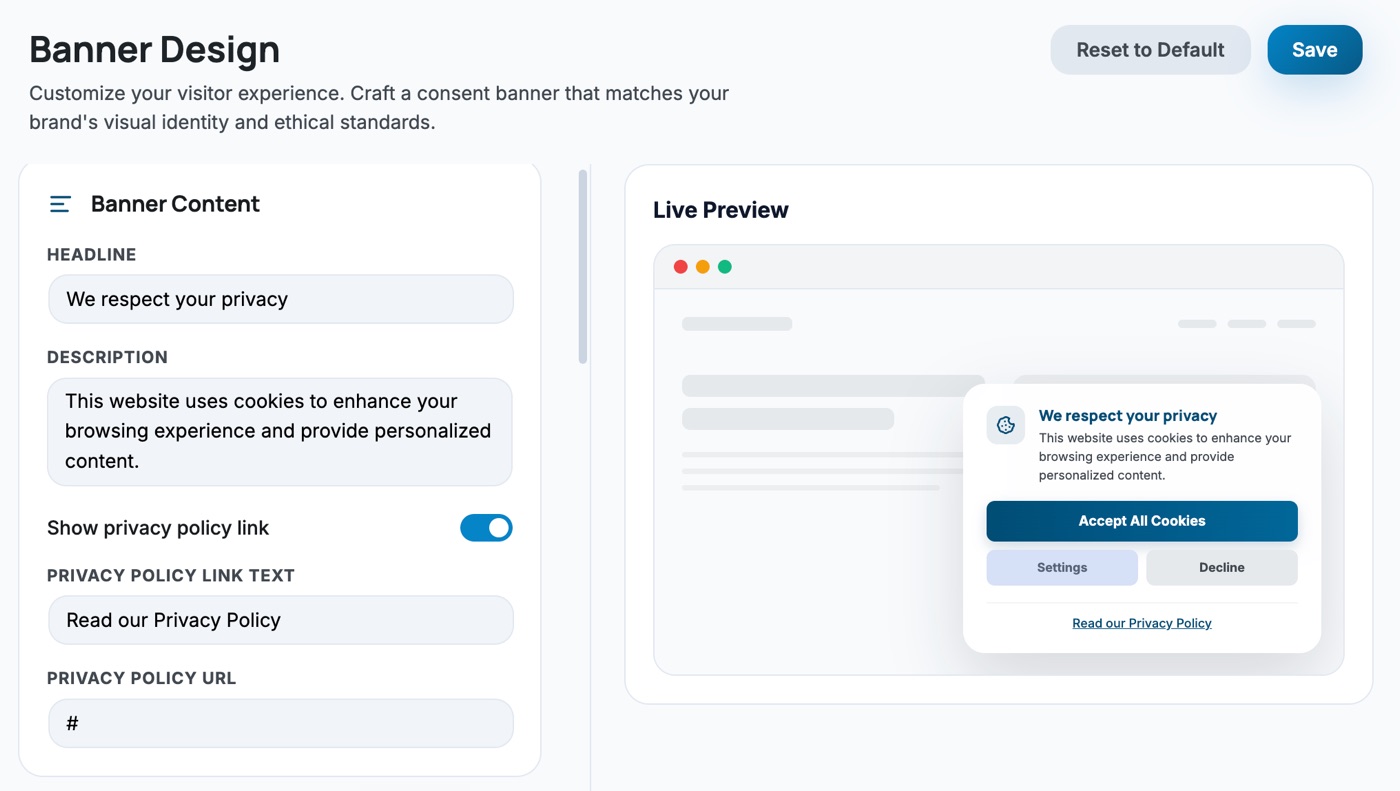
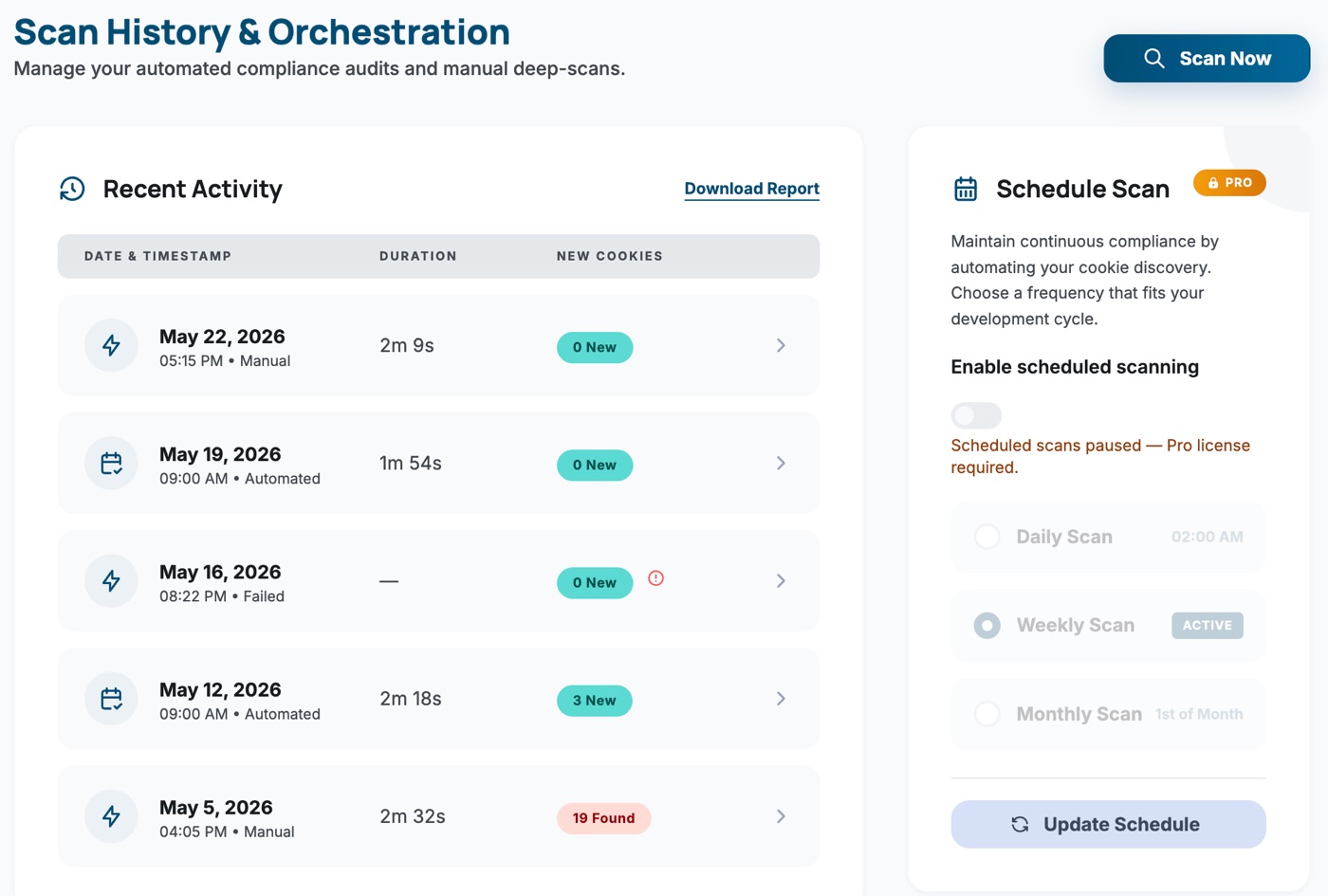
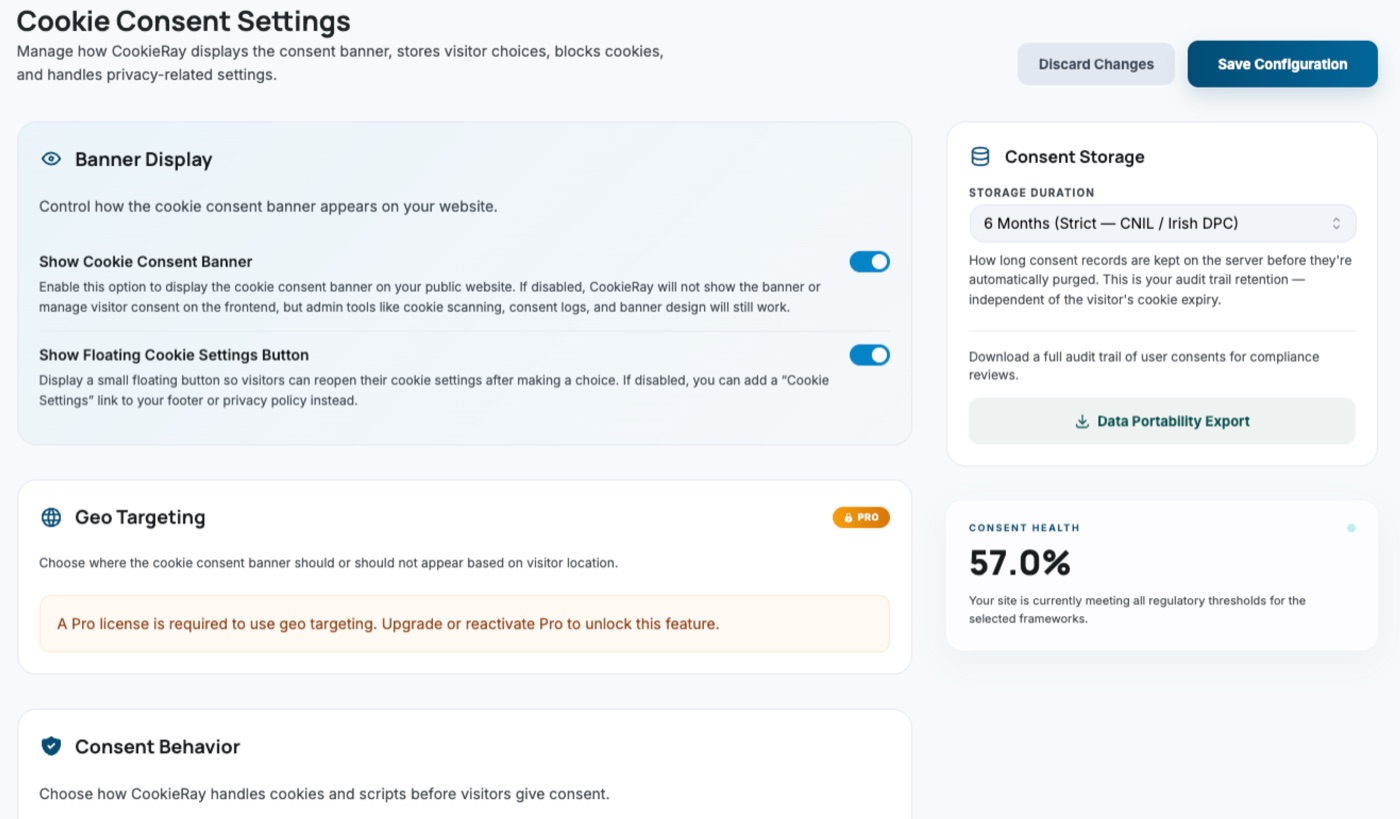
Design the banner with a live preview. Edit text, colors, buttons and placement and watch the banner update in real time.
Screenshots use demo data.
The free plugin does not send usage data, telemetry, or visitor payloads to any server we operate. Consent logs and cookie inventories stay in your WordPress database — not ours. CookieRay Pro contacts our license server only to activate your license and check for updates.
Start for free →Install CookieRay, configure your consent settings, and you're protecting visitor privacy without touching a line of code.
Search "CookieRay" in your WordPress plugin directory or upload the .zip file. Activate it and you'll land on the setup dashboard automatically.
Design your consent banner with the live preview editor. Choose layout, colours, text, and button labels. Enable strict script blocking and Google Consent Mode v2 in Settings.
Run the cookie scanner to populate your inventory. Categorize discovered cookies, review the Dashboard score, and export consent logs whenever you need them.
Pro is an add-on to the free plugin. It adds four things, each aimed at a specific problem.
You don't want the same banner for every visitor
Pick the countries where the banner should be hidden. Visitors from every other country — and visitors whose country can't be detected — still see it.
Read the guide → Your inventory goes stale between manual scans
Choose a daily, weekly or monthly scan and let WordPress Cron keep your cookie inventory and scan history current, with scans marked as automated.
Read the guide →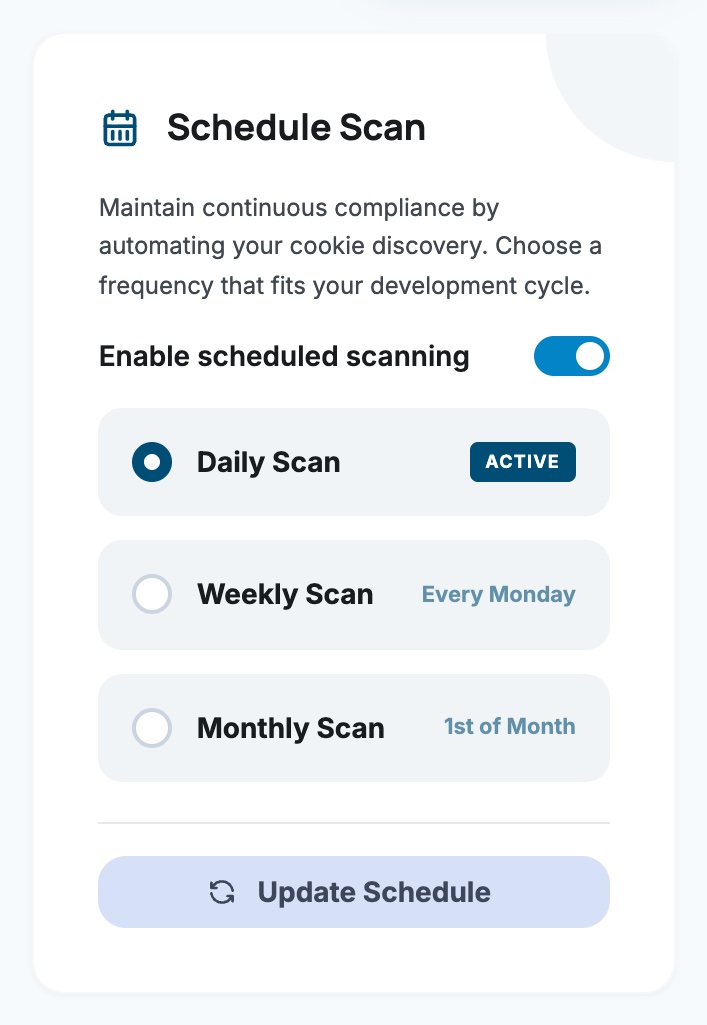
Tag snippets fire before visitors choose
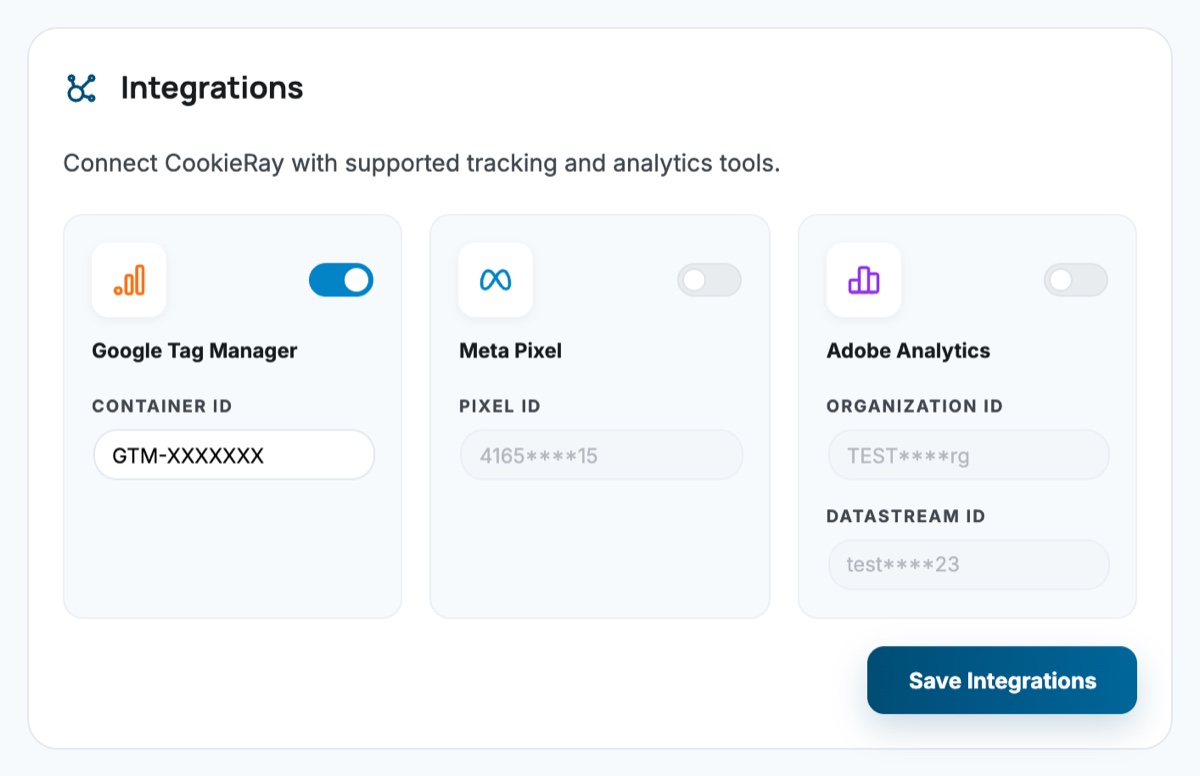
Enter your GTM container ID, Meta Pixel ID, or Adobe Org and Datastream IDs. CookieRay adds the tags and ties them to the visitor's consent: GTM and the Adobe SDK wait for analytical consent in Strict mode, and Meta Pixel starts with consent revoked until marketing consent is granted.
Read the guide →Also: Google Tag Manager · Meta Pixel · Adobe
The banner needs to match your brand
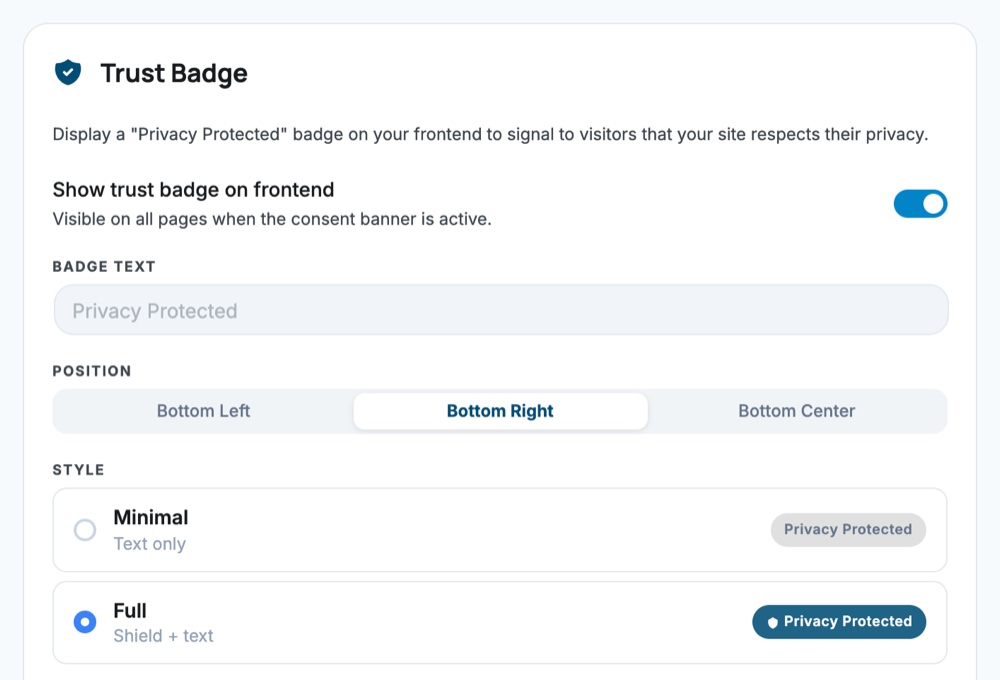
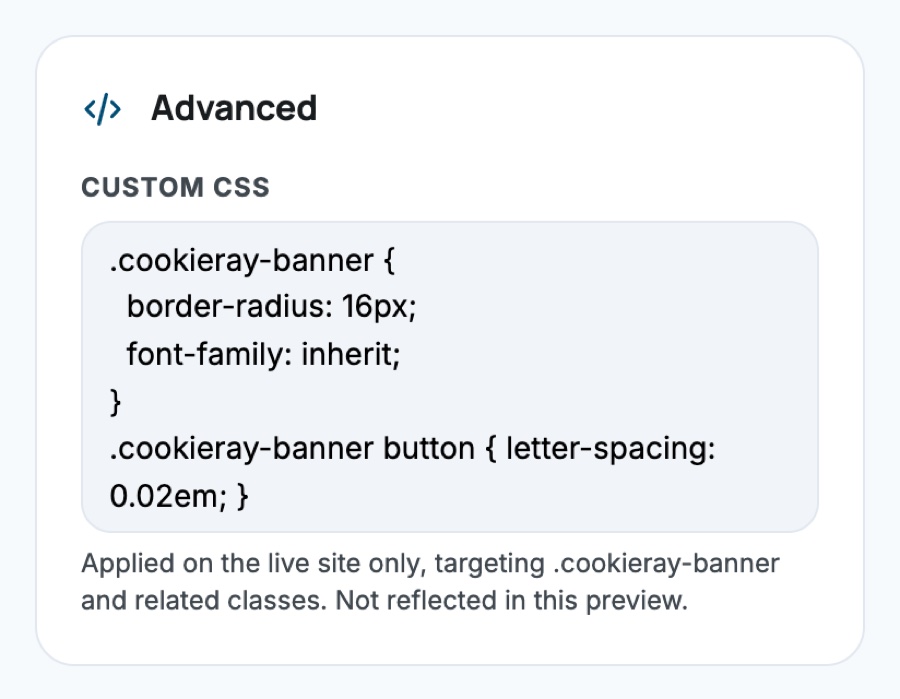
Add up to 5,000 characters of custom CSS for the banner on your live site, and show a "Privacy Protected" trust badge with your own text, position (bottom left, right or center) and style (minimal or full).
Read the guide →Also: Custom CSS reference
Start free with everything you need for most sites. Upgrade to Pro for multi-site management, priority support, and advanced features built for agencies.
Compare all plans — view full pricing →
Setup guides, feature references, Pro docs and step-by-step tutorials, all in one place.
Requirements, install options and what happens on first activation.
Layouts, placement, colors, buttons and the live preview.
Log Only vs Strict, built-in tracker patterns and manual blocking.
Default and updated consent signals, with a GA4 / GTM setup tutorial.
Scan your own site, then categorize every cookie it finds.
License activation, geo targeting, scheduled scans, integrations, badge and CSS.